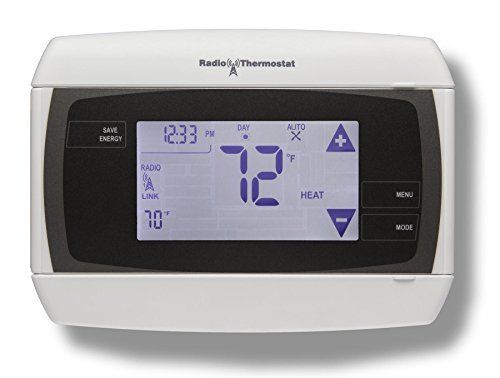
Radio CT32
The Z-Wave enabled Radio CT32 thermostat is a compact, easy-to-use thermostat that is packed with functionality. The CT32 has a responsive touchscreen interface, easy-to-read backlight display, and 7-day programmability. It features a system lock to avoid unintentional changes for maximum efficiency, a filter change indicator to keep your HVAC system running efficiently, wide temperature operation range, and room temperature calibration for precise control.
What can we help you with?
8 Articles
Learn how to install and set up your Brinks Home Smart Thermostat. Follow our step-by-step guide to get started with your device.
View instructions for connecting a thermostat to your panel.
Step-by-step guide to pairing your CT32 Thermostat with the 2GIG GC2 panel using Z-Wave. Ensure seamless smart home integration with these easy-to-follow instructions.
Learn how to pair the CT32 Thermostat with the Qolsys IQ2 using Z-Wave. Follow these simple steps for seamless integration and control of your smart home system.
Pair your CT32 Thermostat with the Interlogix Simon XTi panel using Z-Wave. Follow these simple instructions to integrate your thermostat into your smart home system.
Discover how to pair your CT32 Thermostat with the Interlogix Simon XT panel via Z-Wave. Follow this guide for smooth smart home integration.
Troubleshoot and resolve malfunctions for your LB60Z-1 Smart Light Bulb. Find step-by-step support from the Brinks Home Help Center.
Step-by-step instructions for replacing the batteries in your Kwikset 620 smart door lock. Learn how to safely remove the battery pack and swap the 4 AA batteries.