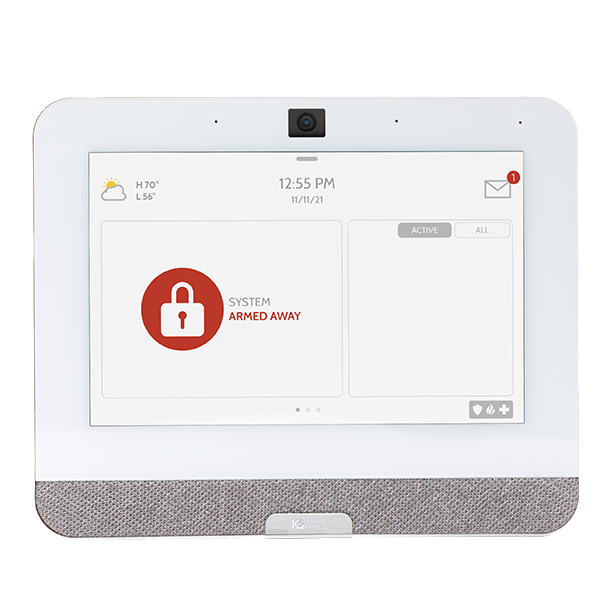
IQ Panel 4
The IQ Panel 4 is a next generation home security panel and home automation controller, offering first of its kind features and cutting-edge technology. This 7” touchscreen panel with a built-in camera and PowerG wireless intrusion technology, providing full security and smart home functionality in an easy-to-use interface.
What can we help you with?
10 Articles
Master your Qolsys IQ4 Hub with our comprehensive guide. Learn about panel features, arming modes, smart home integrations, and system maintenance.
Learn how to program a door or window sensor to your Qolsys IQ Panel 4. Follow simple, step-by-step instructions to connect and configure your device.
Learn how to add a Z-Wave device to your Qolsys IQ Panel 4. Follow step-by-step instructions from Brinks Home to connect smart home devices seamlessly.
Learn how to connect your Qolsys IQ Panel 4 to Wi-Fi. Follow our step-by-step programming guide to ensure a secure connection for your home security system.
Explore everything included with the Qolsys IQ Panel 4.
Troubleshoot a non-responsive Qolsys IQ Panel 4. Find step-by-step instructions to perform a software reboot, power button restart, or full power cycle.
Learn how to fix a panel communication failure on the Qolsys IQ Panel 4. Follow simple troubleshooting steps to restore your home security connection.
Learn how to replace the backup battery in your Brinks Home IQ Panel 4. Follow simple, step-by-step instructions to safely swap the battery and clear alerts.
Learn how to resolve a tamper error on your Brinks Home IQ Panel 4. Follow step-by-step instructions to secure the panel cover and clear the alert.
Troubleshoot sensor malfunction issues on your IQ Panel 4. Learn how to identify common causes and follow simple steps to restore proper sensor reporting.