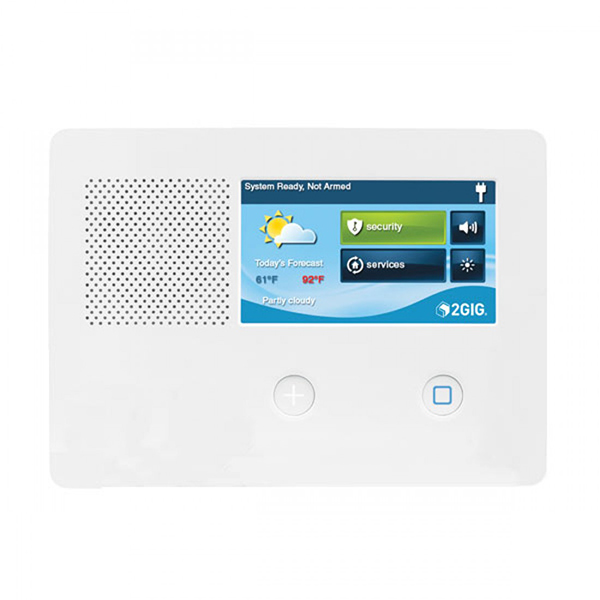
2GIG GC2/GC2E
2GIG sets the standard for exceptional performance that delivers true peace of mind. With our GC2e, enjoy the proven performance and trustworthiness of the original 2GIG GC2 panel, along with features that make life even easier. With improvements like eSeries encrypted compatibility, a sleek design, larger capacitive touch screen, and best-in-class 2-way voice, you will appreciate the peace of mind they get from their 2GIG GC2e experience.
What can we help you with?
10 Articles
Learn how to set up and use your 2GIG GC2/GC2e Panel, including Wi-Fi setup, Z-Wave device compatibility, and user functions.
Learn how to program and connect a wireless door or window sensor to your 2GIG GoControl GC2 security panel with these step-by-step instructions.
Learn how to set up and configure the Go!Bridge IP Communicator on your 2GIG GC2/GC2e panel to enable Wi-Fi communication for enhanced monitoring and security.
Learn how to add a Z-Wave device to your 2GIG GC2 GoControl panel. Follow step-by-step instructions to connect smart home devices to your security system.
Explore everything included with the GC2/GC2e panel.
Troubleshoot an unresponsive 2GIG GC2 panel. Find step-by-step instructions to power cycle your system and restore touchscreen functionality.
Troubleshoot a panel communication failure on your 2GIG GC2 panel. Follow simple steps to restore connection to your Brinks Home security system.
Find step-by-step instructions to replace the backup battery for your GC2 and GC2e panels. Keep your Brinks Home security system running smoothly.
Learn how to resolve tamper errors on your IQ4 Hub Panel. Follow step-by-step instructions to securely attach the cover and clear system alerts.
Troubleshoot a sensor malfunction on your 2GIG GC2 or GC2e panel. Follow step-by-step instructions to resolve the error and keep your home security system running smoothly.