How Can I View My Account Information?
See your account information, including your customer number, phone number, email and address.
Looking for Your Customer Number?
In the Customer Portal, your customer number is in the top right of the Account Summary page. In the app, it's on your statements (how to open your statements).
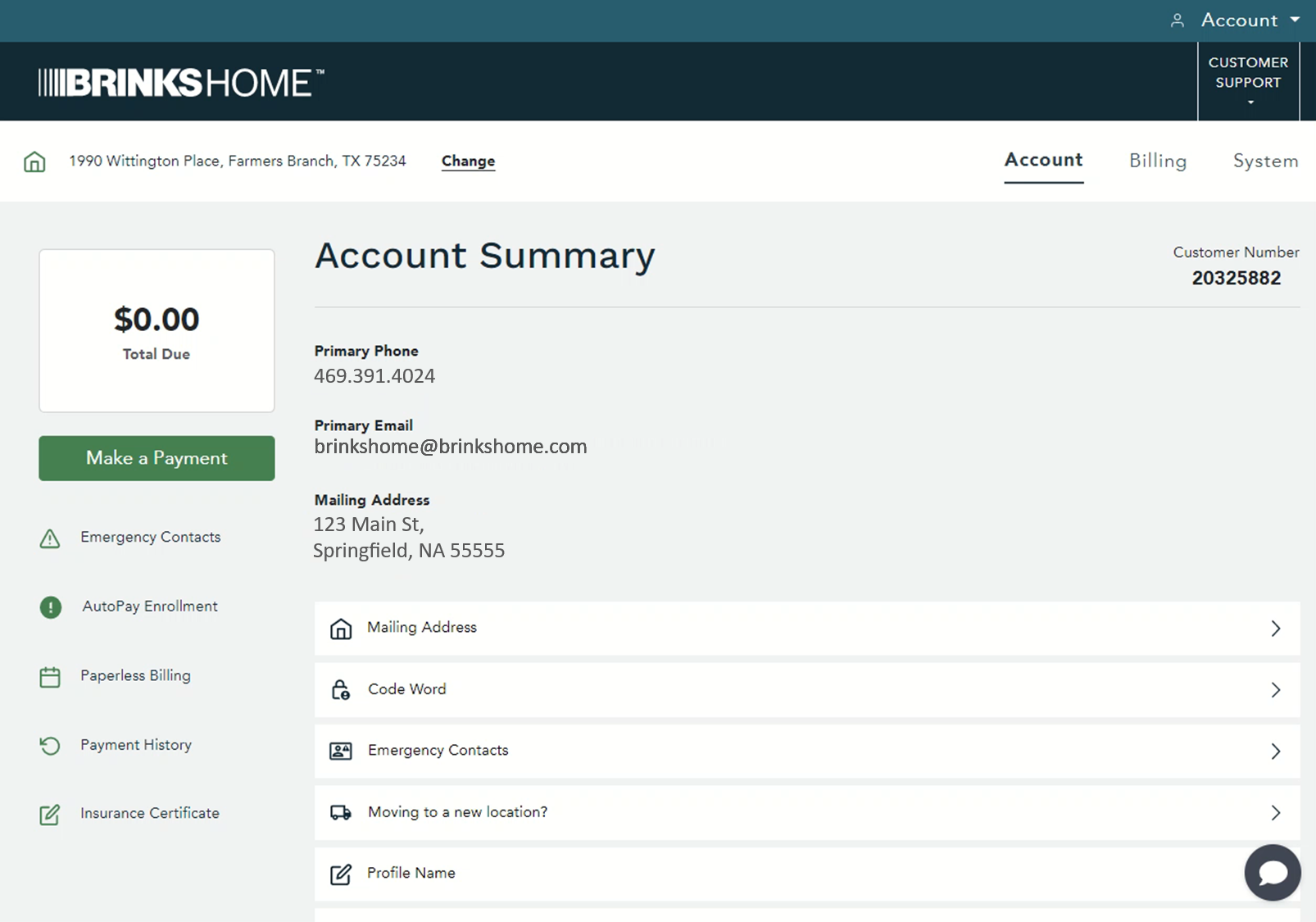
In the Customer Portal
New to the Customer Portal? You will need to register for an account before you can log in. See how to register.
Log in to the Customer Portal.

The Customer Portal home page (tap to enlarge) Click Account at the top right of the page.
The Account Summary shows your customer number at the top right, plus your phone number, email address and site address. You can also review or update your billing address from the options on this page.
The Account Summary page (tap to enlarge)

In the Brinks Home App
Log in to the Brinks Home App.
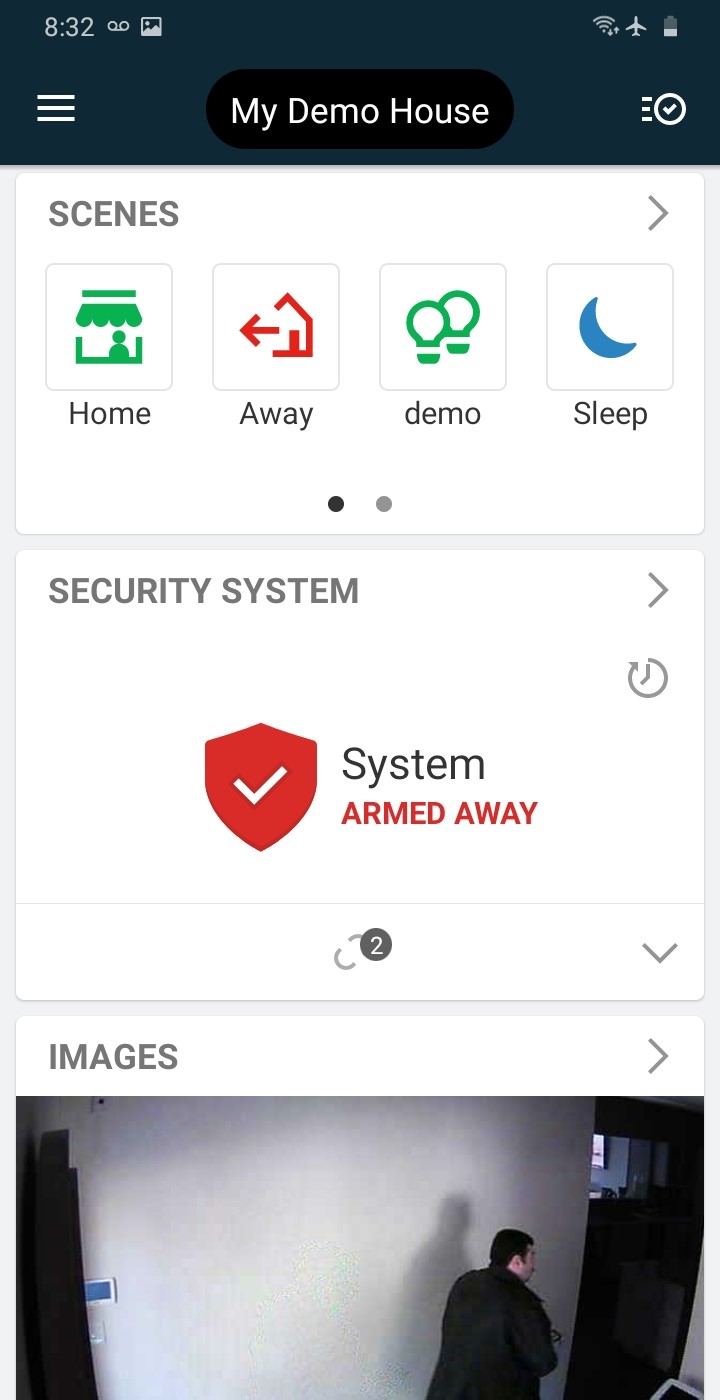
The app home screen Tap My Account in the main menu. To open the menu, tap the 3 lines in the top left corner.
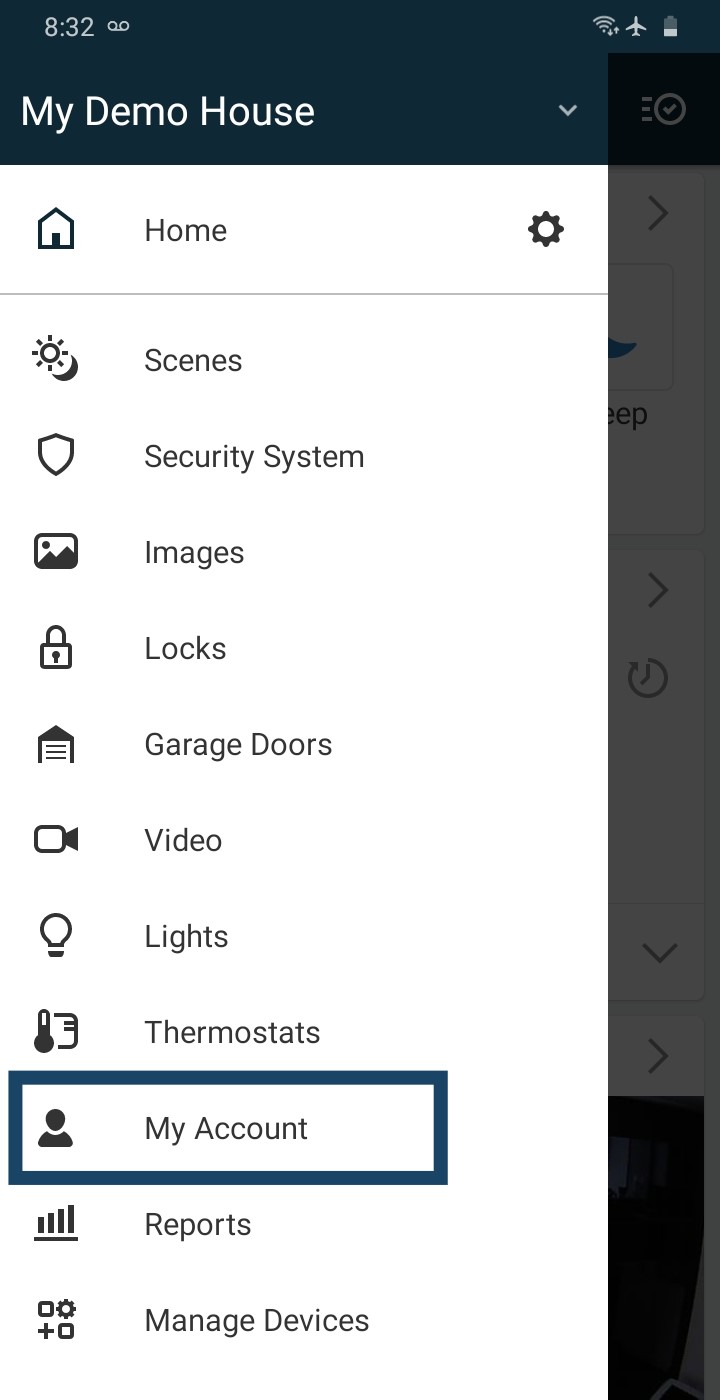
Tap My Account Tap Account in the tabs at the top. Your phone number, email and mailing address appear.

The app's Account Summary (no customer number)

No customer number in the app? The app's Account page doesn't show your customer number. Find it on your statements, or from your mobile phone, text a Support Representative any time at 469.513.8685.
Other menus have more of your account details. See all account and billing articles.
Still Need Help?
Can't find what you need? From your mobile phone, text a Support Representative any time at 469.513.8685.
Contact Brinks Home™ Support